A Practical Blueprint for Agentic Coding Workflows
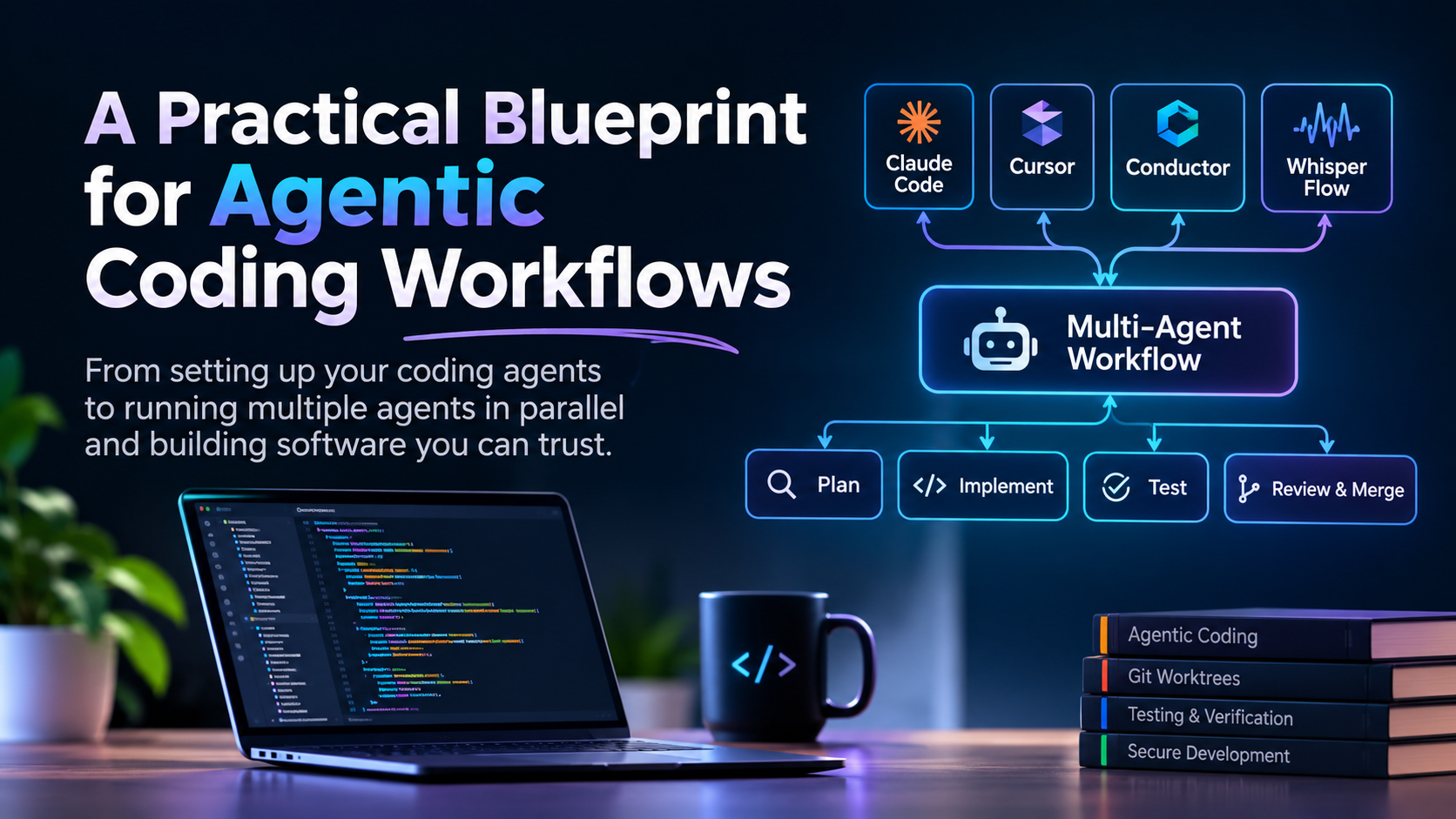
From setting up your coding agents to running multiple agents in parallel and building software you can trust
AI coding tools have changed how we write software. Tools like Claude Code, Cursor, Codex and other coding agents can now understand an entire codebase, investigate bugs, make changes across multiple files, run tests and execute commands.
But there's a difference between having access to these tools and knowing how to work with them properly.
I've been using AI coding tools extensively in my daily development workflow. Over time, I've moved from asking an AI to write individual functions to running multiple coding agents in parallel, reviewing their implementations and managing the work across separate Git worktrees.
The interesting part is that writing code is no longer the only thing I spend time on. A significant part of the work is now understanding the problem, providing context, planning the implementation, reviewing the changes and deciding what should actually make it into the codebase.
This article is my attempt to put together a practical guide to that workflow.
We'll cover the fundamentals first and gradually move towards more advanced workflows.
This isn't a guide to generating as much code as possible with AI. It's about building a development process where AI agents can do useful work without taking away your control over the software.
Level 1: Understanding Agentic Coding
Before configuring anything, it's worth understanding what makes an agentic coding tool different from a traditional AI coding assistant.
A traditional AI coding assistant generally responds to a specific request. You ask it to write a function, explain some code or suggest a fix.
An agentic coding tool can take a broader task and work through multiple steps.
For example, consider this request:
Add password reset functionality to the application.
A coding agent might:
- Explore the existing authentication implementation.
- Identify the relevant API endpoints and database models.
- Understand how emails are currently sent.
- Propose an implementation.
- Modify the backend and frontend.
- Add tests.
- Run the test suite.
- Investigate and fix failures.
The important difference is that the agent can interact with the development environment and take actions, rather than only suggesting code.
However, the ability to perform more actions doesn't automatically mean better results.
An agent can misunderstand the existing architecture, introduce unnecessary abstractions, change unrelated files or implement something that technically works but doesn't match the product requirements.
That's why the surrounding workflow matters.
Level 2: Give Your Agent the Right Project Context
One of the first things I recommend setting up is a project instruction file.
When you start a new conversation with a coding agent, it doesn't automatically understand every architectural decision, business rule or development convention in your project.
You can explain everything manually, but that quickly becomes repetitive.
This is where AGENTS.md becomes useful.
2.1 Understanding AGENTS.md
AGENTS.md is a Markdown file that provides instructions to coding agents working inside your repository.
It can explain:
- What the application does.
- How the project is structured.
- Which technologies and frameworks are used.
- How to run the application.
- How to run tests.
- Important architectural decisions.
- Coding conventions.
- Things the agent should avoid changing.
For example:
my-project/
│
├── AGENTS.md
├── src/
│   ├── components/
│   ├── features/
│   ├── hooks/
│   └── services/
│
├── tests/
├── docs/
├── package.json
└── README.md
A simple AGENTS.md could look like this:
# Project Instructions

## About the project

This is a full-stack application built with
TypeScript, React and Node.js.

## Architecture

- Frontend code lives inside src/
- API routes are inside src/api/
- Business logic belongs in services.
- Shared types are maintained separately.
- Avoid putting business logic inside UI components.

## Development Commands

- Install: npm install
- Development: npm run dev
- Build: npm run build
- Tests: npm test
- Typecheck: npm run typecheck

## Development Guidelines

- Follow existing patterns before introducing new ones.
- Avoid unnecessary dependencies.
- Keep components focused.
- Handle loading, error and empty states.
- Don't modify unrelated functionality.

## Before Completing a Task

- Run relevant tests.
- Run type checking.
- Review the complete diff.
- Report any remaining issues.
The goal isn't to write a complete software engineering handbook.
You want to give the agent enough information to understand how your project works and how you expect it to make changes.
Keep the file focused. Detailed architecture documents, product requirements and technical decisions can live elsewhere.
2.2 Don't Put Everything Inside AGENTS.md
A common mistake is turning the instruction file into a huge document.
As the project grows, you might end up with hundreds of lines covering every possible situation.
That creates two problems:
- More information needs to be loaded into the agent's context.
- Instructions become harder to maintain and may contradict each other.
Instead, use AGENTS.md as an entry point.
For example:
my-project/
│
├── AGENTS.md
│
├── docs/
│   ├── PRODUCT.md
│   ├── ARCHITECTURE.md
│   ├── API.md
│   ├── DATABASE.md
│   ├── DEVELOPMENT.md
│   └── DECISIONS/
│       ├── 001-authentication.md
│       └── 002-database-choice.md
│
└── src/
Your main instruction file can point the agent towards these documents:
## Project Documentation

Before making architectural changes, consult:

- docs/PRODUCT.md
- docs/ARCHITECTURE.md
- docs/DATABASE.md

For API-related changes, read:

- docs/API.md

For previous technical decisions:

- docs/DECISIONS/
This gives the agent a clear starting point without loading every document into every conversation.
2.3 Keep Documentation Updated
Documentation is useful only when it reflects the actual codebase.
Imagine your architecture document says that authentication is handled by middleware, but the project has since moved authentication into a dedicated service.
The agent might follow the old documentation and build on an incorrect assumption.
I recommend asking the agent to check whether relevant documentation needs updating whenever an implementation changes the architecture or an important project decision.
But don't let it rewrite documentation blindly.
Review important changes, especially when they describe system behaviour or architectural decisions.
Level 3: Planning Before Writing Code
This is probably one of the most important changes you can make to your AI-assisted development workflow.
Don't immediately ask the agent to implement something.
First, ask it to understand the problem and propose an approach.
Consider these two prompts.
Prompt A:
Add subscription upgrades to the application.
Prompt B:
I want to introduce subscription upgrades.

First, investigate the existing subscription system.

Understand:

- How subscriptions are created.
- Where subscription status is stored.
- How payments are processed.
- How subscription limits are enforced.
- What happens when a subscription expires.

Don't change any code yet.

Identify the files involved and propose
an implementation plan.

Also explain any potential risks to
the existing subscription behaviour.
The second prompt gives the agent a much better starting point.
It also gives you an opportunity to catch misunderstandings before they become implementation problems.
3.1 Ask Questions Before Approving the Plan
A useful planning conversation should uncover decisions that aren't obvious from the code.
For example:
- What happens to unused credits when someone upgrades?
- Does the new subscription start immediately?
- What happens if the payment fails?
- Can users downgrade?
- What happens to existing sessions?
- How should the system handle duplicate payment events?
These aren't simply coding questions. They're product and business decisions.
The agent can investigate possible solutions, but you still need to decide what the application should do.
3.2 Ask for a Concrete Implementation Plan
I generally prefer a plan that identifies:
- The files that need changes.
- The existing behaviour that must remain unchanged.
- The proposed implementation.
- The database or API changes.
- The tests required.
- Potential failure cases.
You can use a prompt like this:
Before implementing anything:

1. Explore the relevant parts of the codebase.
2. Explain how the current implementation works.
3. Identify the files that need changes.
4. Propose the smallest reasonable solution.
5. Identify edge cases and possible regressions.
6. Define how we will verify the implementation.

Do not modify any files until I approve the plan.
You don't need to plan every small change this way.
For a simple typo or isolated bug, direct implementation is perfectly reasonable.
But for features involving multiple services, database changes, authentication or existing business logic, planning saves a lot of unnecessary rework.
Level 4: Choosing the Right Model
Most coding tools provide access to multiple models.
It's tempting to always select the most capable model, but that's not necessarily the best use of your resources.
Different tasks require different levels of reasoning.
For example:
| Task | What I would prioritize |
|---|---|
| Small code changes | Speed and low cost |
| Simple bug fixes | Good coding ability and speed |
| Codebase exploration | Reasoning and context handling |
| Complex architecture | Strong reasoning |
| Multi-file features | Coding ability and reliability |
| Security review | Strong reasoning and careful analysis |
| Final code review | Independent reasoning |
My general approach is to match the model to the difficulty and risk of the task.
A small UI adjustment doesn't necessarily require the most capable model available.
On the other hand, asking a lightweight model to investigate a complicated database migration might cost more time in corrections than you save in model usage.
4.1 Don't Confuse Model Intelligence With Task Quality
Even a strong model can produce poor results when the task is poorly defined.
A useful way to think about it:
Task Quality =
Problem Understanding
+ Relevant Context
+ Clear Constraints
+ Model Capability
+ Verification
The model is only one part of the equation.
A better model cannot reliably compensate for missing product requirements or incorrect assumptions about your architecture.
Level 5: Running Multiple Agents in Parallel
Once you're comfortable working with a single coding agent, the next step is parallel execution.
This is where my workflow changed quite a bit.
Instead of asking one agent to handle everything sequentially, I started splitting independent tasks between multiple Claude Code sessions.
For example, imagine you're adding a new dashboard feature.
You could divide the work like this:
                 Main Task
                     |
          Dashboard Implementation
                     |
          -----------------------
          |          |          |
        Agent 1    Agent 2    Agent 3
          |          |          |
        Backend    Frontend    Tests
          |          |          |
          -----------------------
                     |
               Review Changes
                     |
                Integration
                     |
                  Testing
One agent investigates or implements the backend changes.
Another handles the frontend.
A third can work on tests or independently review the implementation.
This can save time when tasks are genuinely independent.
However, running more agents doesn't automatically make development faster.
If three agents are modifying the same files, they can create conflicting changes that take longer to resolve than the original task.
The important part is how you divide the work.
5.1 Use Conductor to Manage Multiple Agents
I use Conductor to manage multiple Claude Code agents working on different tasks.
Instead of constantly switching between sessions manually, I can organize several independent tasks and workstreams.
For example:
Project
│
├── Agent 1: Feature implementation
│
├── Agent 2: Bug investigation
│
├── Agent 3: Test coverage
│
└── Agent 4: Code review
Each agent has its own task and working environment.
My responsibility is to provide the right context, define the boundaries, review the results and decide what should be integrated.
One important rule: don't delegate a vague task.
Instead of:
Improve the backend.
Give the agent something specific:
Investigate the API response time for
the dashboard endpoint.

Identify the main bottleneck.

Do not modify the implementation yet.

Return:
- Relevant files
- Findings
- Evidence
- Suggested improvements
A good delegation should have a clear outcome and boundaries.
5.2 When Should You Use Parallel Agents?
Not every task benefits from parallel execution.
Good candidates include:
- Independent frontend and backend work.
- Separate bug investigations.
- Test creation while another agent implements a feature.
- Researching different technical approaches.
- Reviewing a change independently.
- Working on unrelated features.
Avoid parallel execution when:
- Multiple agents need to modify the same files.
- One task depends heavily on another.
- The requirements are still unclear.
- The work requires constant shared decisions.
My rule is simple: parallelize independent work, not connected work just for the sake of using more agents.
Level 6: Git Worktrees for Isolated Agent Work
When multiple agents work on the same repository, file conflicts become a real concern.
This is where Git worktrees are extremely useful.
A Git worktree allows you to have multiple working directories connected to the same Git repository.
Each worktree can have its own branch and checked-out files.
For example:
my-project/
│
├── main/
│   └── Main development branch
│
├── feature-dashboard/
│   └── Dashboard implementation
│
├── bug-auth/
│   └── Authentication bug fix
│
└── tests-api/
    └── API test coverage
All these directories share the same Git repository data, but each has its own working directory and branch.
6.1 Creating a Worktree
You can create a new worktree using:
git worktree add ../feature-dashboard \
  -b feature/dashboard
This creates:
- A new directory called
feature-dashboard. - A new branch called
feature/dashboard. - An isolated working directory for that branch.
You can create another one:
git worktree add ../bug-auth \
  -b fix/authentication
Now you can work on both tasks independently.
6.2 Checking Existing Worktrees
To see all active worktrees:
git worktree list
To remove a worktree after completing the task:
git worktree remove ../feature-dashboard
The branch can then be merged through your normal Git workflow.
6.3 Why Worktrees Matter for AI Agents
Imagine two agents working simultaneously.
Agent A is implementing a new dashboard.
Agent B is fixing an authentication bug.
Without separate working directories, both agents could modify the same checkout and interfere with each other's changes.
With worktrees, each agent has an isolated copy of the working files.
This makes parallel development much easier to manage.
One thing to remember: worktrees isolate files, but they don't isolate every external resource.
Agents can still interfere through shared development databases, ports, external services or other resources if you don't manage them separately.
Also, avoid giving multiple agents ownership of the same feature or architectural decision.
Isolation helps with code changes, but it doesn't replace good task boundaries.
Level 7: Build Specialized Agents Instead of Giving Everyone the Same Job
As your workflow grows, you can start defining agents for specific responsibilities.
For example:
1. Explorer Agent
Responsible for understanding the codebase and finding relevant files.
2. Implementation Agent
Responsible for implementing an approved feature.
3. Testing Agent
Responsible for creating and running tests.
4. Review Agent
Responsible for examining changes and identifying potential problems.
You can define specialized agents in Claude Code using agent definition files.
A simplified example:
---
name: code-reviewer
description: Reviews code changes for bugs,
security issues and regressions.
tools: Read, Grep, Glob, Bash
---

# Code Reviewer

Review the implementation independently.

Focus on:

- Incorrect behaviour
- Missing error handling
- Security problems
- Data integrity
- Breaking existing functionality
- Missing test coverage

Do not modify files.

Report findings with file names,
line references and explanations.
The most important part is defining what the agent should and shouldn't do.
A review agent shouldn't silently start rewriting the implementation it's supposed to review.
Similarly, an investigation agent shouldn't modify files when its responsibility is only to understand the problem.
Clear responsibilities make the results easier to trust.
7.1 Use Independent Reviews
There's an important difference between asking the implementation agent whether its work is correct and asking another agent to review it.
The implementation agent already has context about the decisions it made.
An independent reviewer can approach the change with a different perspective.
For example:
Review the current branch against main.

You did not implement this feature.

Don't assume the implementation is correct.

Look for:

- Missing requirements
- Incorrect assumptions
- Edge cases
- Unhandled failures
- Security issues
- Regressions

Only report actionable findings.

Do not modify files.
This doesn't guarantee that every bug will be found, but it adds another layer of review.
Level 8: Reviewing AI-Generated Code
This is where developers need to be especially careful.
An AI-generated implementation can look clean, use modern patterns and pass basic tests while still being wrong.
Passing tests is important, but it doesn't prove that a feature is correct.
I use a few questions when reviewing generated code.
8.1 Does It Solve the Actual Problem?
First, compare the implementation with the original requirement.
Sometimes an agent builds something technically reasonable but misses an important product detail.
Ask yourself:
- Does this solve the problem the user actually has?
- Did it implement all the required behaviour?
- Did it introduce unnecessary functionality?
- Did it change anything outside the requested scope?
8.2 Does It Follow the Existing Architecture?
A coding agent might introduce a new service, hook or abstraction when an existing one could have been reused.
Look at:
- Existing patterns.
- State ownership.
- API boundaries.
- Error handling.
- Database access.
- Reusable components.
Don't reject every new abstraction, but ask why it is needed.
8.3 What Happens When Something Goes Wrong?
Developers often focus on the normal case.
Production systems also need to handle failures.
For example, when implementing a payment flow, consider:
- What happens if the payment provider times out?
- What happens if the user submits twice?
- What happens if the webhook arrives late?
- What happens if the database update fails?
- Can the same payment be processed twice?
These questions often reveal problems that aren't visible in the main implementation.
8.4 Can You Explain the Code?
This is a personal rule I find useful.
If an agent introduces a complicated abstraction or changes an important part of the architecture, I should be able to explain why it exists.
I don't need to manually write every line of code.
But I should understand the important decisions behind the implementation.
If I cannot explain what a change does, I shouldn't approve it for production without investigating further.
Level 9: Testing and Verification
Testing should not be an afterthought.
An agent saying that it has completed a task doesn't mean the task is complete.
I prefer asking agents to verify their implementation before reporting back.
A basic verification checklist might look like this:
[ ] Type checking passes
[ ] Linting passes
[ ] Relevant unit tests pass
[ ] Integration tests pass
[ ] Build succeeds
[ ] Existing functionality still works
[ ] Error cases are covered
[ ] No unrelated files were modified
The exact checks depend on the project.
9.1 Don't Trust Test Results Without Understanding Them
Sometimes an agent will run tests and report that everything passes.
But did it run the relevant tests?
Did it add tests for the new behaviour?
Did it accidentally skip a failing test?
Did it test the actual user flow?
Ask for the commands that were executed and their results.
For frontend changes, I also like browser-based verification.
For example, if an agent implements a signup flow, it should ideally verify:
- The signup page loads.
- Form validation works.
- Invalid input is rejected.
- Successful signup works.
- Loading states appear correctly.
- Error messages are displayed.
- The resulting application state is correct.
A successful build doesn't prove that the user experience works.
9.2 Make Verification Part of the Task
Instead of asking:
Implement the feature.
Use:
Implement the feature and verify it.

After implementation:

1. Run relevant tests.
2. Run type checking.
3. Run the production build.
4. Check important edge cases.
5. Review your own changes.

Report:

- Files changed
- Implementation summary
- Commands executed
- Test results
- Remaining limitations
This makes verification part of the expected work rather than something you remember to do afterwards.
Level 10: Security and Permissions
Coding agents can execute commands, inspect files and interact with your development environment.
That means you need to think about what access you're giving them.
A few things I recommend:
- Don't expose production credentials unnecessarily.
- Keep secrets outside the agent's working context.
- Avoid granting unrestricted access to your machine.
- Be careful with shell commands that delete or overwrite files.
- Review scripts before executing them.
- Don't blindly trust instructions found in external repositories.
For Claude Code, project-level settings can be maintained inside:
.claude/
└── settings.json
You can use permission settings to control which actions are allowed, denied or require approval.
For example, a simplified configuration might look like:
{
  "permissions": {
    "deny": [
      "Read(./.env)",
      "Read(./.env.*)"
    ],
    "ask": [
      "Bash(git push *)",
      "Bash(rm -rf *)"
    ]
  }
}
Treat this as an illustrative starting point, not a complete security configuration. Check the current Claude Code permission documentation before relying on specific rules.
Also remember that denying access to a particular file is not a replacement for proper secret management.
An agent can still encounter sensitive information through other files, command output or external tools.
Level 11: My Daily AI Coding Workflow
After putting these ideas together, here's roughly how I approach development.
I don't think of AI agents as replacements for the developer. I think of them as additional people who can investigate and implement well-defined tasks.
My workflow looks something like this:
Step 1: Understand the Problem
I start by understanding what needs to change.
I don't immediately ask an agent to write code.
I first establish the expected behaviour and identify any important constraints.
Step 2: Explore the Codebase
I ask an agent to investigate the relevant parts of the project.
I want to understand how the existing implementation works before deciding how to change it.
Step 3: Plan the Implementation
We discuss the approach, affected files, possible edge cases and testing requirements.
I review the plan before implementation begins.
Step 4: Divide Independent Tasks
If the work can be separated, I use Conductor to manage multiple Claude Code agents.
For example, I might assign backend implementation, frontend work and independent testing to separate agents.
Step 5: Isolate the Work
I use separate Git worktrees so agents can work independently without modifying the same working directory.
Step 6: Review the Changes
I inspect the diffs and compare the implementation against the original requirements.
I don't approve code simply because an agent says it has finished.
Step 7: Verify the Implementation
I check test results, type checking, builds and important application flows.
For UI changes, I also verify the actual browser behaviour.
Step 8: Integrate and Merge
Only after reviewing and verifying the changes do I decide what should be merged.
The important decisions remain mine.
Level 12: Common Mistakes When Working With Coding Agents
Before wrapping up, here are a few mistakes worth avoiding.
1. Giving vague instructions
A vague task creates room for incorrect assumptions. Explain the expected behaviour and important constraints.
2. Skipping planning
The agent might start implementing before it understands the existing architecture or product requirements.
3. Running too many agents
More agents can mean more duplicated work, conflicting changes and additional review time.
4. Giving agents overlapping responsibilities
Make sure each agent knows which files or parts of the system it owns.
5. Trusting generated tests without checking them
A test can pass while failing to verify the behaviour that actually matters.
6. Allowing documentation to become outdated
Incorrect instructions can repeatedly lead agents towards incorrect implementations.
7. Merging without reviewing
A successful implementation report is not a substitute for reviewing the actual changes.
8. Installing every available skill and plugin
More instructions don't automatically produce better results. Add specialized tools when they solve a real problem, and review their source and permissions before trusting them.
Final Thoughts
I think we're moving towards a different way of building software.
Developers will still need to understand programming languages, system design, databases, APIs, testing and production systems.
In fact, I would argue that understanding these fundamentals becomes even more important when working with coding agents.
The ability to generate code is becoming easier to access. The ability to recognize whether that code is correct, maintainable and suitable for a real product is a different skill.
My biggest takeaway from using these tools is that the developer's role is changing.
I spend less time manually producing every line of code and more time understanding problems, providing context, planning work, coordinating agents and reviewing their output.
But the responsibility for the final implementation doesn't disappear.
You still need to understand what you're building, why you're building it and what could go wrong.
The goal isn't to have AI write all your code. The goal is to build a development workflow where AI can do more of the implementation while you remain responsible for the engineering decisions.
About the author
I am a full-stack developer with expertise on JavaScript stack like reactjs, react native, vue, node, redux, next, nuxt, express and so on. I am currently working on python stack with machine learning and AI focused. I always enjoy learning new things and sharing out with fellow dev community.
Comments
Join the discussionThe part I'd keep near the top is treating AGENTS.md as an entry point, not a dump. Pointing the agent at docs/ARCHITECTURE.md and docs/DECISIONS/ keeps the always-loaded file short, and it also makes it obvious which decisions are durable vs which ones belong in a one-off task note.
I'd also underline the plan-before-code split. Asking for files, risks, and a smallest-reasonable approach before any edit is the cheapest place to catch a wrong product assumption — especially on auth, payments, or anything that touches existing behaviour.
One small addition to the "before completing a task" list: after the agent reports done, ask it to list the decisions it assumed that aren't written down anywhere yet. Those are the ones that disappear the next session if they never land in DECISIONS/ or the brief for the follow-up task.
Which section of AGENTS.md do you find drifts first — commands, architecture, or the "don't touch" list?